Storage
Ephemeral
Ephemeral storage is the default storage type for all app envs.
It's a temporary storage that does not persist between deploys.
Our default maximum ephemeral storage is 50MBs.
Although it's available in all containers, we don't recommend using it. It would be best to use a service to store files like AWS S3. If you have special needs, contact our support team.
If you want to use this storage, you can write to any folder in the container, but we recommend using the /tmp folder. If the storage reaches the limit, the container will be terminated, and a new one will be created.
Persistent Storage for Applications
You can mount a persistent volume at a configurable path inside your container. Unlike ephemeral storage, data in this volume survives across deploys.
How to Enable
- Go to your App's Settings tab
- Check Use Persistent Volume
- Enter a Volume path -- the mount point inside your container (e.g.,
/data,/rails/storage) - Apply changes
Disk Size
Disk size is configured per environment in the App Env settings. The default allocation is 1024 MB (1 GB).
Note: Our default maximum disk size is 1024 MB (1 GB). Contact support if you need more storage.
Blue-Green Deploy Impact
Persistent volumes are automatically incompatible with blue-green deployments. When you enable persistent storage, blue-green deploy is automatically disabled. The UI will show a warning and disable the blue-green toggle.
This is because volumes cannot be shared across blue and green instances simultaneously.
Scaling Limitation
Apps with persistent volumes are limited to 1 container. Scaling to multiple containers is not allowed because the persistent disk is bound to a single node and cannot be shared across containers. Autoscaling is also not available for apps with persistent volumes.
When to Use
Persistent storage is useful for:
- SQLite databases or other file-based data stores
- File uploads that must persist across deploys
- Applications with local state that cannot be stored externally
For most file storage needs, we recommend using an external service like AWS S3 instead of persistent volumes. External storage scales better and works seamlessly with blue-green deployments.
API and MCP Access
You can configure persistent storage programmatically:
- Apps API -- use
useVolumeandvolumePathfields when updating an app - App Env Resources API -- use the
diskfield to set disk size per environment - MCP tools -- use
update-appandupdate-app-env-resourcestools
Databases
For databases, we configure persistent disks.
Our team does the database setup, and we ensure you have your disk allocated in a machine with enough space.
The details about disk size and growth rate are requested by our team when you request a database configuration.
Replication
Our database configurations support replication, but it's only enabled per client request for multiple replicas.
Choosing not to enable replication exposes you to data loss risk if the machine fails—specifically, data accrued between the last backup and the failure time.
Therefore, we strongly recommend always enabling replication for production databases.
Certificate
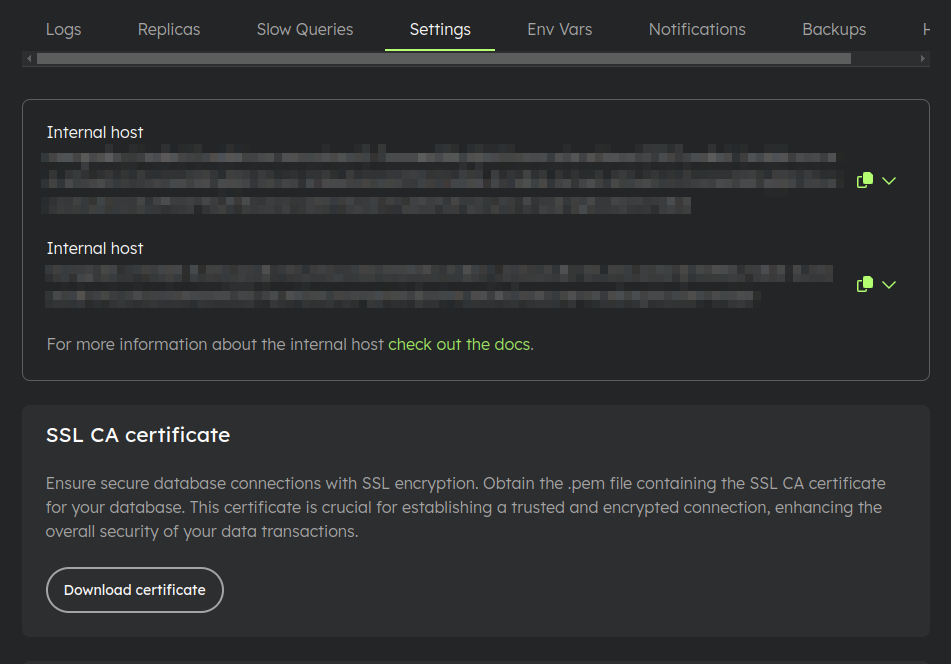
On the application environment settings page, within the Settings tab, you can download your database's SSL CA Certificate.
This certificate is essential for establishing a trusted and encrypted connection.
Backups
For databases hosted with us, we provide complimentary daily backups stored for up to 7 days, with a maximum limit of 30 GB. If you require additional backup storage exceeding 30 GB or retention beyond 7 days, please reach out to us.
Encryption
Each database is equipped with a unique key pair for encryption.
Download and Decryption
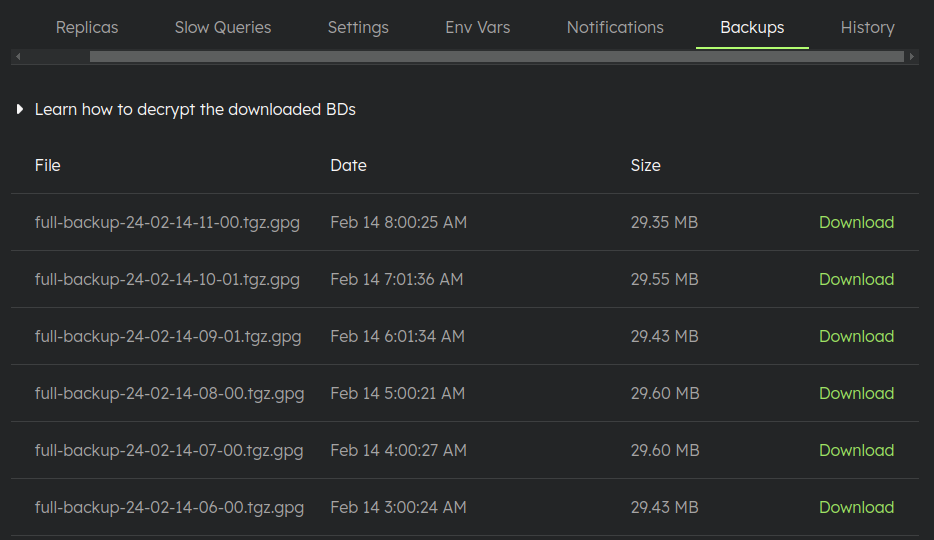
On the application environment settings page, under the Backups tab, you'll find a list of the most recent backups along with instructions for downloading and decrypting them.
Disk Price
Check our pricing page.